CKEditor not working in IE or Chrome
CKeditor is fine in Firefox (latest), Safari (5.1.7) and Opera (28). It is not working in IE 11 or Chrome (41). Screenshot is IE. A small window briefly opens then disappears as expected, but the editor window does not then open.
Also, changing config.js, for example to change editor colours, does not work, the file does not appear to load (Firefox, Safari, Opera). It's also not clear in the documentation how to use the site's CSS within the editor.
Peter.
-
 Capture.JPG
66 KB
Capture.JPG
66 KB
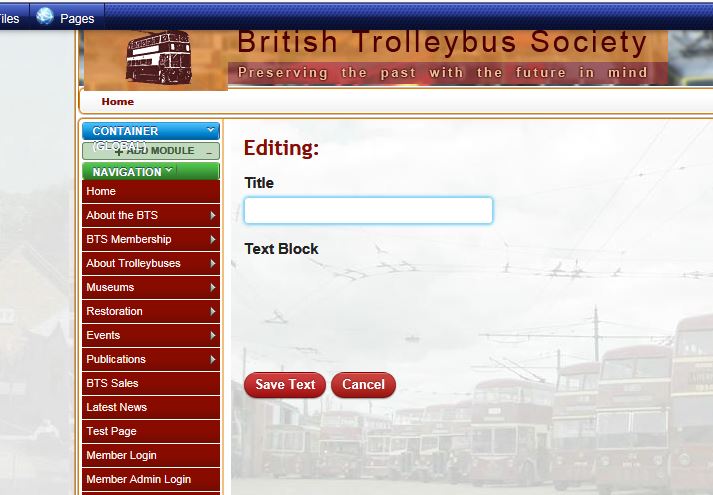

-
 peters@slx-online.biz
Additionally, just tested with Firefox so far, when I click to add a link, then say Browse Server, I get the usual Insert / Modify Link screen. I click on Switch to File Manager and get the attached 'Listings for expFile message instead of File manager.
-
 Capture.JPG
28.1 KB
Capture.JPG
28.1 KB
-
-
BJ Kline
Did you try turning off minification for Js? Go to configure website -> Minify -> Remove the check mark beside "Minify and Combine linked js scripts?"
-
peters@slx-online.biz
I hadn't, now I have, makes no difference. Peter.
-
peters@slx-online.biz
- Assigned user changed from dleffler to expNinja
Thanks for the link, I missed that one.
The textarea has an inline visibity:hidden when I look at the console. If I change this the textarea appears. Without analysing every line, the inline editor code appears to be there and does not look any different to the same block in Firefox's source. The level of CKEditor you are shipping appears to be at a level that should be compatible with IE11 (I see earlier versions showed similar problems to what I am seeing). Is it possible that something from the old editor has been carried across during migration from 0.9x ?
I tried TinyMCE, it works but is not a practical alternative as my editors are familiar with the CKE interface.
The Switch to File Manager problem in the additional append is the same as happened during the early stages of development of the last (Sandtoft) site while it was on my Fasthosts shared server account (#1180). This was only resolved by moving to Sandtoft's own server. This is not an option this time around, I know this is a Fasthosts issue but I need to find how to fix it as they don't acknowledge this a stheir problem. I don't have this problem on the currently live 0.9x site.
-
peters@slx-online.biz
I thought that would be the case. Changing theme did not help. I've also trawled through IE's settings and not found anything untoward.
File Manager issue is 1180. Same problem on both.
-
peters@slx-online.biz
That makes two of us!! I'm afraid that didn't help either. It looks like Fasthosts can't resolve:
http://devel.britishtrolley.org.uk/file/picker?ajax_action=1&up...
I don't know what's supposed to happen, with the 'file' folder containing the picker file not being directly under the domain name.
The direct call to File manage http://devel.britishtrolley.org.uk/file/picker/ajax_action/1/update... works fine.
-
peters@slx-online.biz
One of my administrators has reported the same editing problem in his Firefox, latest version = same as me, mine works his doesn't. Also now confirmed it does not work on iPad with Safari nor on iPhone.
-
-
peters@slx-online.biz
Can you please explain the connection between my English language site and Dutch language files? Thanks.
-
peters@slx-online.biz
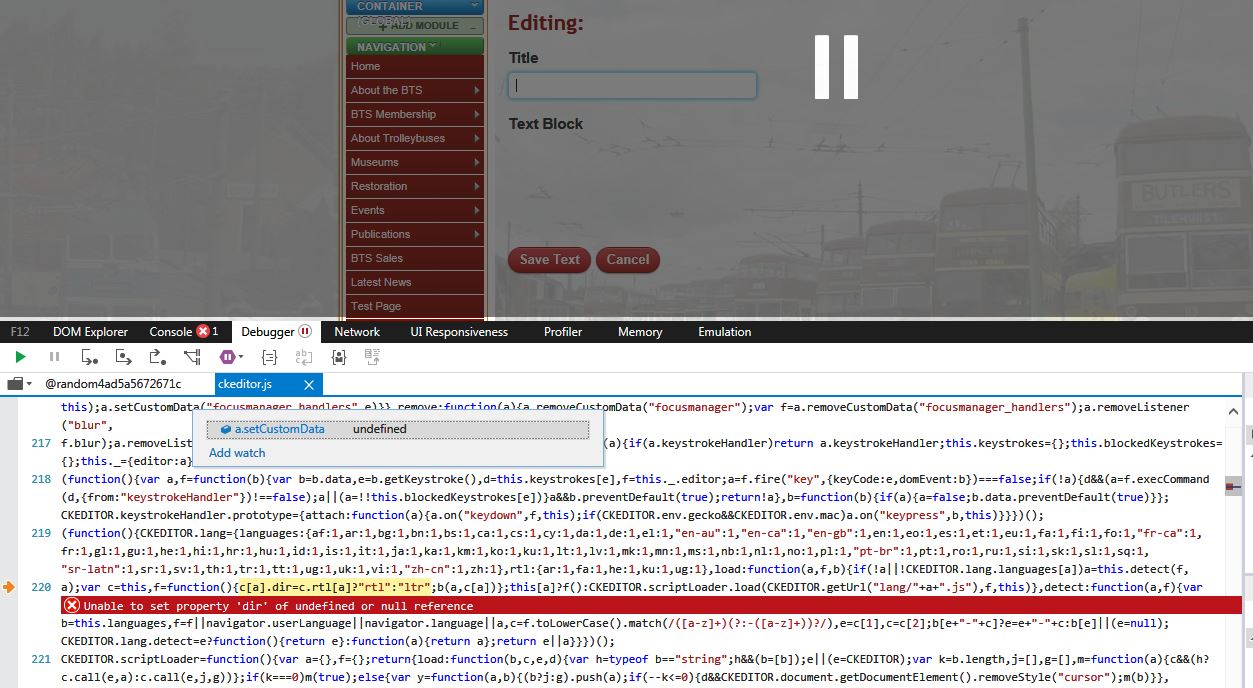
Unfortunately this is not the problem. First of all the browser language is English - see screen shot, and secondly I have downloaded all language files from ckeditor and put them on the server and it still does not work.
-
 Capture.JPG
77.2 KB
Capture.JPG
77.2 KB
-
-
peters@slx-online.biz
Today I did a bulk copy of the ckeditor folder from a working site to the problem site. The problem on my machine with IE and Chrome has disappeared. I will now check that the site editors are able to edit too before closing this off.


Please Sign in or create a free account to add a new ticket.
With your very own profile, you can contribute to projects, track your activity, watch tickets, receive and update tickets through your email and much more.